Find the character.
Look for a short, clearly recognisable section. A distinctive attack works well for percussive parts; a steady texture suits longer sounds.
 WaveDeskGo to Softdeck ↗
SAMPLING & SOUND DESIGN
A short attack, a texture or your own recording: FRAME makes audio material playable via MIDI. Shape the region and discover its musical character.
FRAME WD S1
Import WAV or AIFF material. Set the start and end, play it chromatically and shape its progression with an envelope and low-pass filter. FRAME offers 16 voices and an on-screen keyboard.
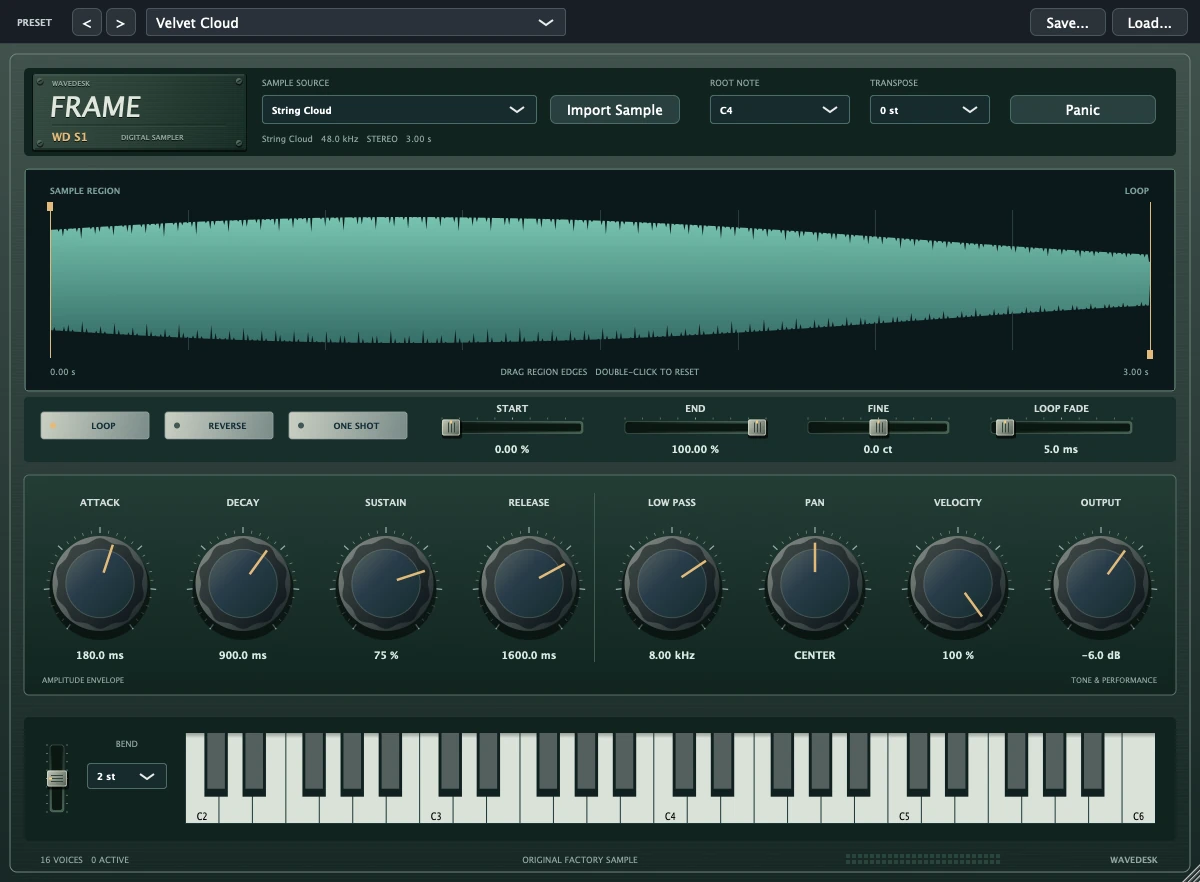
Look for a short, clearly recognisable section. A distinctive attack works well for percussive parts; a steady texture suits longer sounds.
Choose whether a sound responds to holding a key or plays through as a one-shot. Attack and Release change how direct or soft your instrument feels.
Try reverse playback, different pitches and loop points. Chorus, delay or reverb can turn the same source into a new tone.
FRAME is a chromatic sampler. Pitch detection and time-stretch are not automatically applied to imported samples. Use material for which you have the appropriate usage rights.
Use a section of the included WAVs for your first sampling exercise. The guide takes you from import to a playable sound.
YOUR NEXT STEP
Find the right WaveDesk edition at Softdeck.
Offer at Softdeck