THE SOUND WORKSHOP

Listen. Understand.
Shape it yourself.

A warm bass, a piano with more depth and a shared space: listen to the example and try the techniques in your own WaveDesk project.

Solis · Bass & Movement

A warm synthwave bass

A short bass pulse with a rounded foundation and a filter that defines each attack.

Solis with oscillators, filter, envelopes and effects
WHAT THE EXAMPLE SOUNDS LIKECopper Mono · Night Drive

Start with a rounded foundation

Load the factory preset “Bass - Copper Mono”. Play a short figure around E2. The preset combines a low second oscillator with 45 % Sub and a single voice.

  • Preset: Bass - Copper Mono
  • Octave B: −1
  • Sub: 45 %
  • Voice Mode: Mono

Listen for: A compact bass that retains its core character even between short notes.

Shape the attack with the filter

Start with Cutoff at 420 Hz and Resonance at 28 %. The filter envelope opens the sound on attack, then falls back with a 190 ms Filter Decay. Gradually raise Cutoff if you need more bite.

  • Cutoff: 420 Hz
  • Resonance: 28 %
  • Filter Envelope: +40 st
  • Filter Decay: 190 ms

Listen for: A bright, short onset over a warmer, darker fundamental.

Let the pulse and pauses work

Use short eighth notes with subtle velocity differences and occasional octave responses. Amp Release at 110 ms gives the notes a controlled ending. Chorus and Reverb Mix stay at zero for this direct bass sound.

  • Amp Release: 110 ms
  • Chorus: 0 %
  • Reverb Mix: 0 %

Listen for: A clear, rhythmic bass without a long reverb tail.
Explore Solis further ↗

VELVET WD K3 · Touch & Resonance

A fuller piano

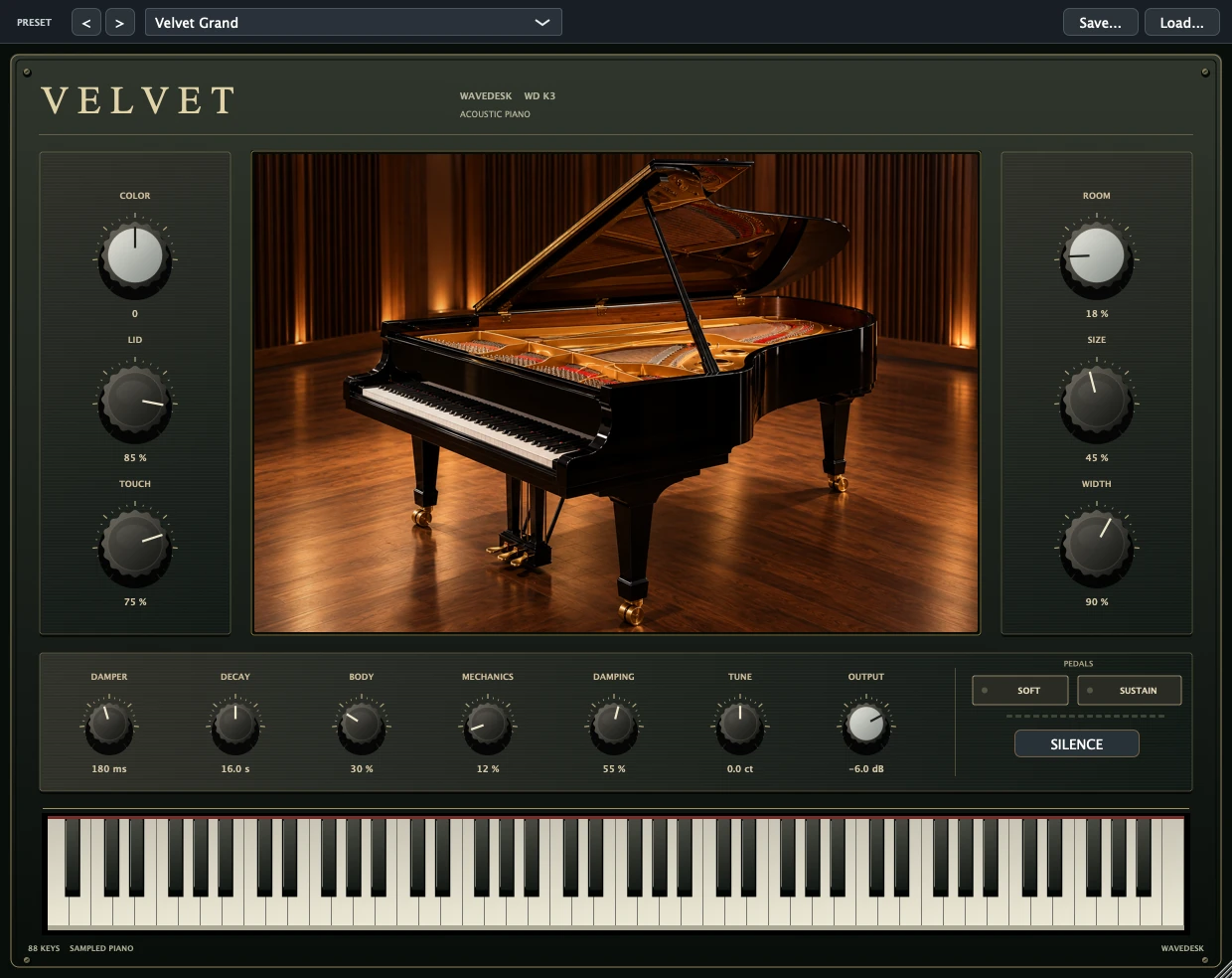
Calm voicings, a supportive bass register and deliberate pedal changes give the piano body and depth.

VELVET with tone, piano resonance, room and sustain pedal
WHAT THE EXAMPLE SOUNDS LIKEIntimate Room · Full sound

Keep the attack warm

Start with “Grand - Intimate Room”. In the audio example, COLOR is −18, LID is 84 % and TOUCH is 48 %. Play the accompaniment more softly than the melody and leave space between melody notes.

  • Preset: Grand - Intimate Room
  • COLOR: −18
  • LID: 84 %
  • TOUCH: 48 %

Listen for: A warm attack that keeps the melody distinct above the quieter inner voices.

Change the pedal with the chord

Hold the sustain pedal after playing the notes. Release it as the chord changes and press it again for the new chord. BODY at 75 % adds resonance while the pedal is held; DECAY at 28 seconds gives the strings time to ring out.

  • SUSTAIN / MIDI CC64
  • BODY: 75 %
  • DECAY: 28 s

Listen for: Connected chords with resonance, without letting the previous harmony linger indefinitely.

Add depth while preserving clarity

Give the chord a quiet low root note rather than doubling every voice. The example uses ROOM at 30 %, SIZE at 66 % and DAMPING at 70 %. Listen especially when changing the pedal to check that low notes still decay clearly.

  • ROOM: 30 %
  • SIZE: 66 %
  • DAMPING: 70 %

Listen for: More body and space, while attacks and chord changes remain clear.

Explore VELVET WD K3 further ↗

AETHER WD R1 · Reverb & Depth

A shared space for your mix

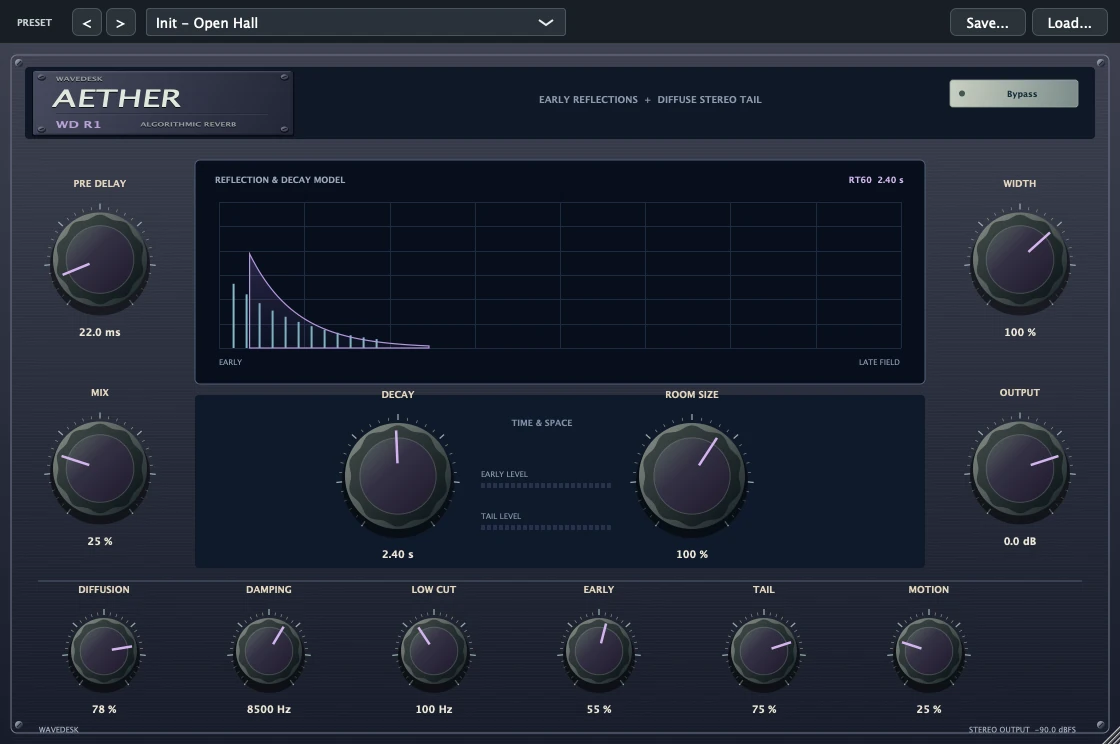
A shared reverb path connects several tracks. Pre-delay, decay and a low cut keep the space under control.

AETHER with Pre Delay, Decay, Low Cut and Mix

In the listening comparison, AETHER is inserted directly on the piano recording. The following steps show how to use it as a shared reverb path.

VELVET · same recording · loudness matched

0:000:09

The playback position is retained when switching.

Share a reverb path

Insert AETHER on an effects return and load “Send - Lush Hall”. The preset is set to 100 % MIX. Start by sending just one track quietly to this return, then add further tracks by ear.

  • Preset: Send - Lush Hall
  • MIX: 100 %

Listen for: The tracks retain their direct signals and gain a shared, adjustable space.

Leave room for the direct attack

Start with 25 ms PRE DELAY and 3 seconds DECAY. PRE DELAY separates the beginning of the reverb from the direct attack. Shorten DECAY if successive chords or words blur together.

  • PRE DELAY: 25 ms
  • DECAY: 3 s

Listen for: An audible space behind the signal, with a tail that suits the tempo and phrase.

Clean up the low end of the reverb

The preset starts with LOW CUT at 160 Hz. Compare the reverb path on and off at as similar an overall loudness as possible. If the space masks the bass, first lower the send level, then check LOW CUT.

  • LOW CUT: 160 Hz
  • Set send levels by ear

Listen for: Depth and cohesion without unnecessarily filling the low end with reverb.

Explore more of AETHER WD R1 ↗

KEEP GOING

One adjustment becomes your sound.

Find more fundamentals, practice material and help for your first session on the learning page.